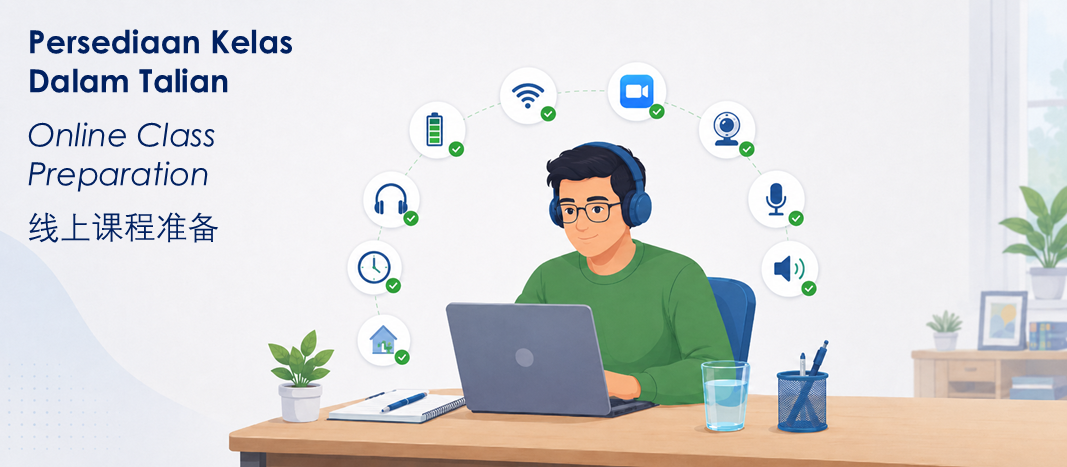
线上课程准备指引
This guide helps candidates and employers prepare before attending Win Synergy Training’s online Food Handler Training class. Online class is still a formal training session. Candidates are expected to be present, visible, contactable, and ready to participate throughout the session.
Please prepare the device, internet connection, camera, audio, and learning environment before class starts. This helps avoid delays, technical problems, and the risk of the candidate being unable to complete the session properly.
Before Class Starts

Use a suitable device
Use a device, such as laptop, tablet, or smartphone that can run Zoom smoothly. The device must support camera, microphone, speaker, and stable video connection.

Check your internet connection
Use a stable Wi-Fi or mobile data connection. Weak or unstable internet may cause repeated disconnection, or incomplete participation.

Log in early and be ready
Candidates should log in at the designated time for attendance taking and technical checks. Late login may affect admission into the class, especially if there is insufficient time to resolve technical issues before the session begins.
During the Online Class

Your learning setup
Prepare a charger, power bank, phone stand, reading glasses (if needed), device cooling pad, notebook / notepad, pen, or any other support items needed for the device or personal learning comfort.

Keep your camera on
The candidate must be visible on camera throughout the session. The trainer must be able to confirm that the registered candidate is present at all times.

1 participant 1 device
Each registered candidate should attend using their own device. Each candidate must be visible and able to respond personally. Device sharing among participants is not permitted.

Participate actively
The class requires two-way communication. Use a device with a working audio, microphone, and camera. Candidates must be able to respond when the trainer gives instructions or asks questions.

Avoid disturbances
Please log in from a quiet and suitable place. Avoid interruptions during class, including loud music, machinery noise, customers, family interruptions, or other distractions.

No other activities
Do not attend while working, travelling, sleeping, cooking, watching TV, taking care of children, or doing other tasks at the same time. Other activities may affect learning and attendance verification.

Use earphone
Each candidate should use earphones or headphones if several candidates are joining the class from the same room or same office area. This helps reduce echo and background noise when more than one device is connected to the same online class.

Device charged adequately
Live audio and video streaming during class can cause the device battery to drain quickly. Keep a charger nearby and connect the device to power where possible. A power bank is also recommended as backup for smartphone and tablet.
Candidate Preparation Checklist
Before joining class, please make sure:
- Device is ready and charged
- Charger or power bank is available
- Internet connection is stable
- Zoom can open properly
- Camera is working
- Microphone and speaker are working
- Earphones are ready, where possible

- Candidate logs in early before class starts
- Candidate is seated in a quiet place
- Candidate can be seen clearly on camera
- Candidate is not working, travelling, driving, cooking, or doing other activities
For Employers Arranging Staff Attendance

Employers are encouraged to brief candidates before the training day. Please make sure candidates have:
- A suitable device
- Stable internet connection
- A quiet place to attend class
- The correct class link and class time
- A clear understanding of the online class requirements
For staff attending during working hours, please arrange the duty roster so they can attend the full session without work interruptions. Candidates who are repeatedly interrupted, disconnected, not visible, or unable to respond may not be able to complete the session properly.
If The Candidate Is Not Ready
If the candidate does not have a suitable device, stable connection, working camera, or proper place to attend, please contact us before the class date where possible.
Depending on the situation and seat availability, rescheduling may be more suitable than forcing the candidate to attend under poor conditions.
For candidates who are not suitable for online class due to special circumstances, employers may consider a face-to-face session where available.


